SLAM and Navigation
The SLAM (simultaneous localization and mapping) module contains algorithms and demos publicly available in ROS. SLAM is able to construct or update the map while at the same time keeping in track the location of the mobile robot. Navigation module contains algorithms and demos that allow a mobile robot perform motion planning and autonomous navigation. Autonomous navigation often requires generating the map of the surrounding environment in order to navigate safely. A map is often created by sensors such as camera, sonar and laser sensor. Below are some snapshots of SLAM and navigation.
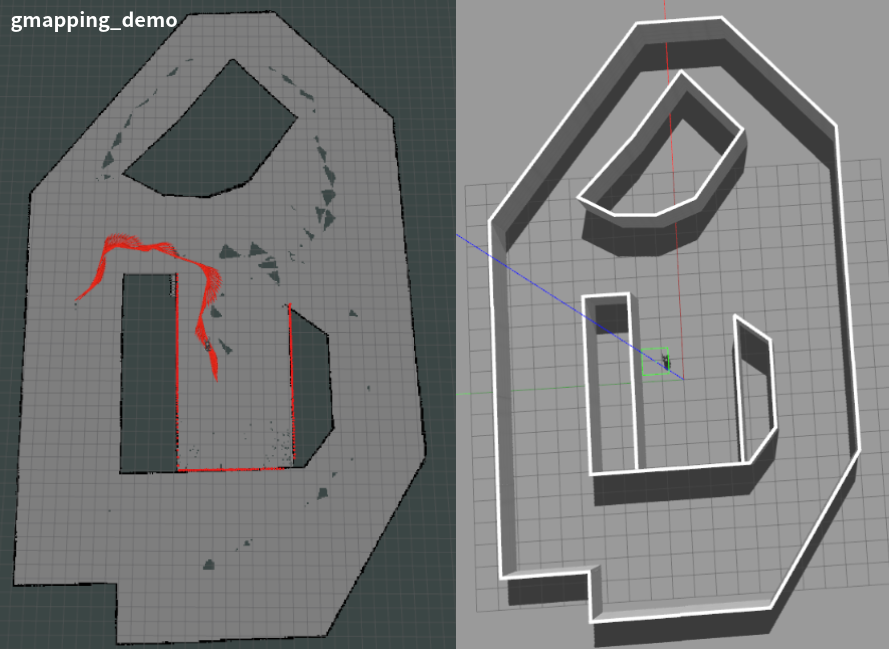
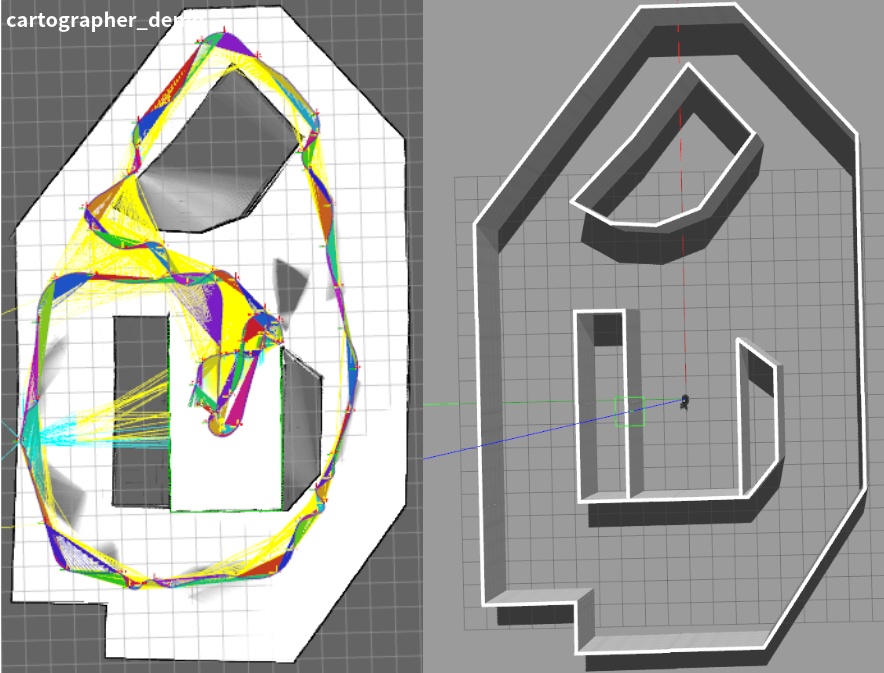
Source Code Structure
You can find the source code of the SLAM and navigation modules at https://github.com/TopHillRobotics/quadruped-robot/tree/develop/navigation. It includes three directories.
sensor_gazebo_plugin contains the Gazebo plugins of a few widely used sensors.
slam contains algorithms and demos, such as radar-based gmapping and cartographer that are widely used in ROS. Some other SLAM frameworks, such as vision-based ORB-SLAM2, vision and IMU fusion ORB-SLAM3, vision and IMU fusion LVI-SAM, IMU and GPS fusion LIO-SAM, radar, etc.
navigation contains algorithms and demos for path planning and autonomous navigation.
Installation
Installing gmapping
As a ROS node, the gmapping package provides laser-based SLAM. Using gmapping, you can create a 2D occupancy grid map from laser and pose data collected by a mobile robot either in simulation or in real environment. The gmapping package is integrated in ROS, you can just run it. Visit https://wiki.ros.org/slam_gmapping for more details. In case you don’t have gmapping installed, run the following code to install gmapping.
sudo apt install ros-${your_ros_version}-gmapping
You also need install the pointcloud_to_laserscan ROS package in order to convert 3D point cloud to 2D laser.
sudo apt install ros-${your_ros_version}-pointcloud-to-laserscan
Installing cartographer
The cartographer_ros package is available in ROS. In case you don’t have cartographer installed, run the following code to install cartographer.
sudo apt install ros-${your_ros_version}-cartographer-ros ros-${your_ros_version}-cartographer-rviz
In some ROS version, cartographer may not be directly supported. Then you need to install cartographer from source https://github.com/cartographer-project/cartographer. Refer to https://google-cartographer-ros.readthedocs.io/en/latest/ for more details about cartographer ROS integration.
Running Demos
First, in one terminal, source the setup.bash to set up the environment
source ${your_workspace}/devel/setup.bash
Second, run the Gazebo simulator and load a robot.
Here, rname specifies the robot you use, wname specifies the Gazebo world that you use, use_xacro indicates if you use URDF or XACRO file, use_lidar specifies if you use lidar or not.
Third, in a new terminal, launch a SLAM demo (see the following commands). It starts the rviz node and the demo_trot_keyboard. Using keyboard, you can control the robot moving and generate a map.
You can launch slam_gmapping
rosrun demo demo_slam_gmapping
Or you can launch cartographer
rosrun demo demo_slam_cartographer
For navigation, you can run the following demo
rosrun demo demo_navigation_2d_use_map
Here, you can use the 2D Nav Goal to let your robot move to the target position. You may chose the LiDAR or camera for obstacle avoidance. Note that, the maps are provided by the slam demos mentioned above. You can use map_server to save maps.
You can run the following demo, building map and perform navigation simultaneously
rosrun demo demo_navigation_2d_gmapping
In an analogous manner, you may use cartographer instead of gmapping.